Using Group Policy to enable Remote Desktop Connection on domain PC’s
Windows Server 2008 R2
Steps:
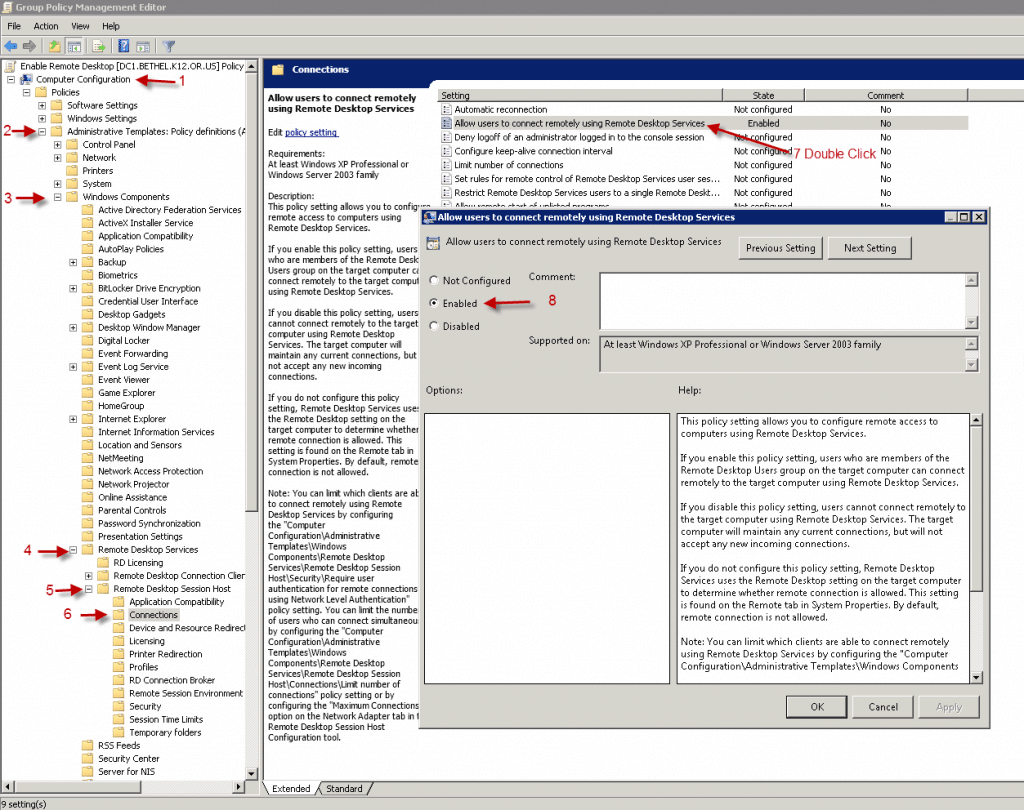
Computer Configuration > Administrative Templates > Windows Components > Remote Desktop Services > Remote Desktop Session Host > Connections > Allow users to connect remotely using Remote Desktop Services