Using Group Policy to enable Remote Desktop Connection on domain PC’s
Windows Server 2008 R2
Steps:
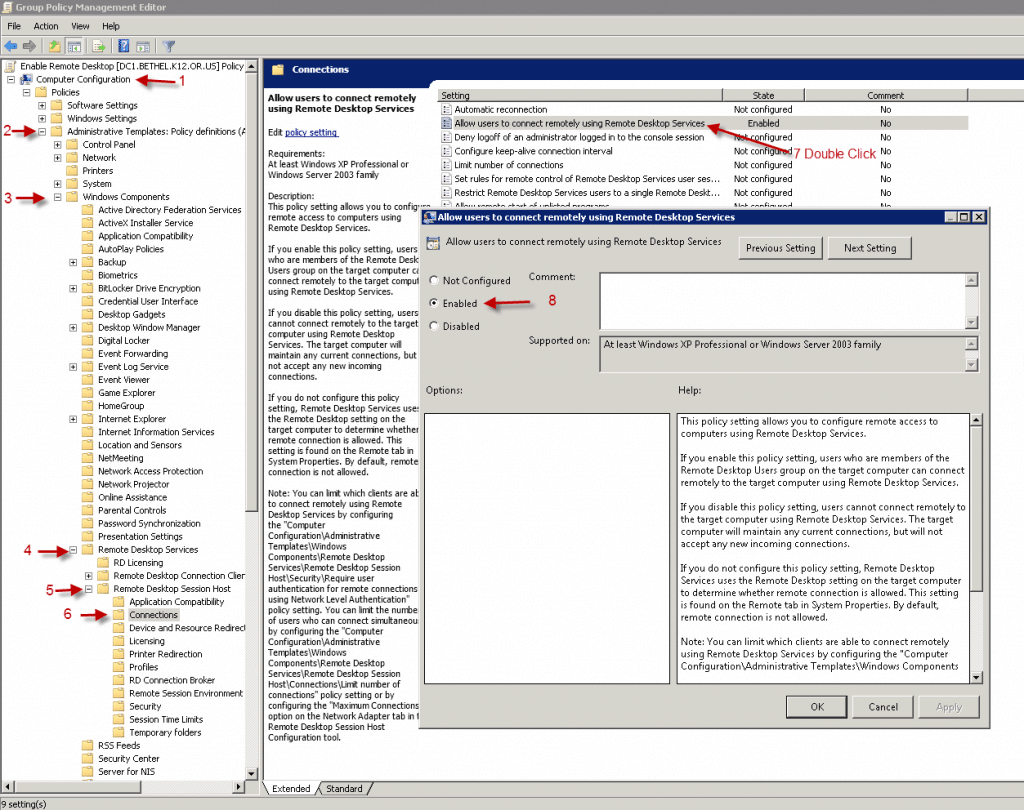
Computer Configuration > Administrative Templates > Windows Components > Remote Desktop Services > Remote Desktop Session Host > Connections > Allow users to connect remotely using Remote Desktop Services



![Hidden Start Menu [Windows 8]](https://www.coryfiala.com/wp-content/uploads/2013/01/hidden-start-menu-win81.jpg)